gemma-4-26b-a4b — web-tip-calculator
rep 1 PASS
screenshot
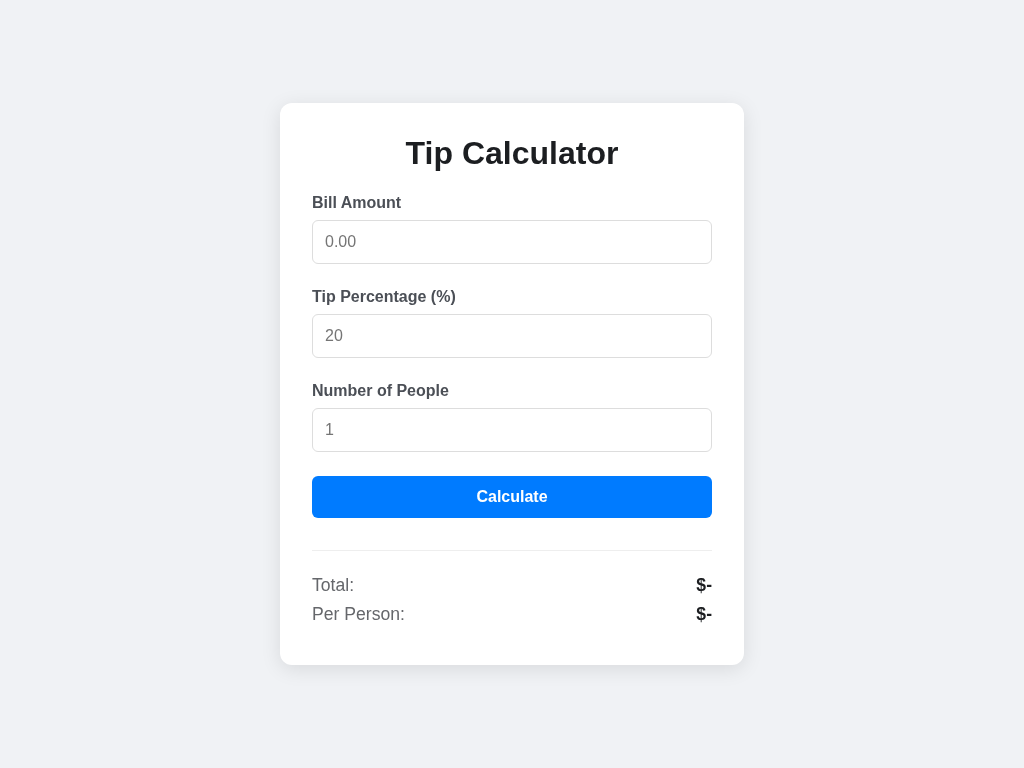
verify output
CHECK PASS: required elements exist
CHECK PASS: total: bill=100 tip=20 -> 120.00
CHECK PASS: total: bill=50 tip=10 -> 55.00
CHECK PASS: two-decimal formatting
CHECK PASS: split: bill=100 tip=15 people=3 -> total 115.00, perPerson 38.33
CHECK PASS: people empty/<1 treated as 1 (perPerson == total)
CHECK PASS: negative bill/tip clamped to 0
CHECK PASS: no uncaught JS errors on empty inputs
score: 8/8 (100%)
produced code
index.html
<!DOCTYPE html>
<html lang="en">
<head>
    <meta charset="UTF-8">
    <meta name="viewport" content="width=device-width, initial-scale=1.0">
    <title>Tip Calculator</title>
    <style>
        body {
            font-family: -apple-system, BlinkMacSystemFont, "Segoe UI", Roboto, Helvetica, Arial, sans-serif;
            display: flex;
            justify-content: center;
            align-items: center;
            min-height: 100vh;
            margin: 0;
            background-color: #f0f2f5;
        }
        .card {
            background: white;
            padding: 2rem;
            border-radius: 12px;
            box-shadow: 0 4px 20px rgba(0, 0, 0, 0.1);
            width: 100%;
            max-width: 400px;
        }
        h1 {
            margin-top: 0;
            text-align: center;
            color: #1c1e21;
        }
        .input-group {
            margin-bottom: 1.5rem;
        }
        label {
            display: block;
            margin-bottom: 0.5rem;
            font-weight: 600;
            color: #4b4f56;
        }
        input {
            width: 100%;
            padding: 0.75rem;
            border: 1px solid #ddd;
            border-radius: 6px;
            box-sizing: border-box;
            font-size: 1rem;
        }
        input:focus {
            outline: none;
            border-color: #007bff;
            box-shadow: 0 0 0 2px rgba(0, 123, 255, 0.25);
        }
        button {
            width: 100%;
            padding: 0.75rem;
            background-color: #007bff;
            color: white;
            border: none;
            border-radius: 6px;
            font-size: 1rem;
            font-weight: 600;
            cursor: pointer;
            transition: background-color 0.2s;
        }
        button:hover {
            background-color: #0056b3;
        }
        .results {
            margin-top: 2rem;
            padding-top: 1.5rem;
            border-top: 1px solid #eee;
        }
        .result-item {
            display: flex;
            justify-content: space-between;
            margin-bottom: 0.5rem;
            font-size: 1.1rem;
        }
        .result-label {
            color: #65676b;
        }
        .result-value {
            font-weight: 700;
            color: #1c1e21;
        }
    </style>
</head>
<body>

<div class="card">
    <h1>Tip Calculator</h1>

    <div class="input-group">
        <label for="bill">Bill Amount</label>
        <input type="number" id="bill" step="0.01" placeholder="0.00">
    </div>

    <div class="input-group">
        <label for="tip">Tip Percentage (%)</label>
        <input type="number" id="tip" step="1" placeholder="20">
    </div>

    <div class="input-group">
        <label for="people">Number of People</label>
        <input type="number" id="people" step="1" placeholder="1">
    </div>

    <button id="calculate">Calculate</button>

    <div class="results">
        <div class="result-item">
            <span class="result-label">Total:</span>
            <span id="total" class="result-value">$-</span>
        </div>
        <div class="result-item">
            <span class="result-label">Per Person:</span>
            <span id="perPerson" class="result-value">$-</span>
        </div>
    </div>
</div>

<script>
    document.getElementById('calculate').addEventListener('click', function() {
        // Get values from inputs
        let billInput = document.getElementById('bill').value;
        let tipInput = document.getElementById('tip').value;
        let peopleInput = document.getElementById('people').value;

        // Parse values and handle empty/non-numeric as 0
        let bill = parseFloat(billInput);
        if (isNaN(bill)) bill = 0;
        if (bill < 0) bill = 0;

        let tip = parseFloat(tipInput);
        if (isNaN(tip)) tip = 0;
        if (tip < 0) tip = 0;

        let people = parseInt(peopleInput);
        // Handle empty, non-numeric, or < 1 as 1
        if (isNaN(people) || people < 1) people = 1;

        // Calculations
        const total = bill + (bill * (tip / 100));
        const perPerson = total / people;

        // Formatting to 2 decimal places
        const formatter = new Intl.NumberFormat('en-US', {
            style: 'currency',
            currency: 'USD',
            minimumFractionDigits: 2,
            maximumFractionDigits: 2
        });

        // Update DOM
        document.getElementById('total').textContent = formatter.format(total);
        document.getElementById('perPerson').textContent = formatter.format(perPerson);
    });
</script>

</body>
</html>
rep 2 PASS
screenshot
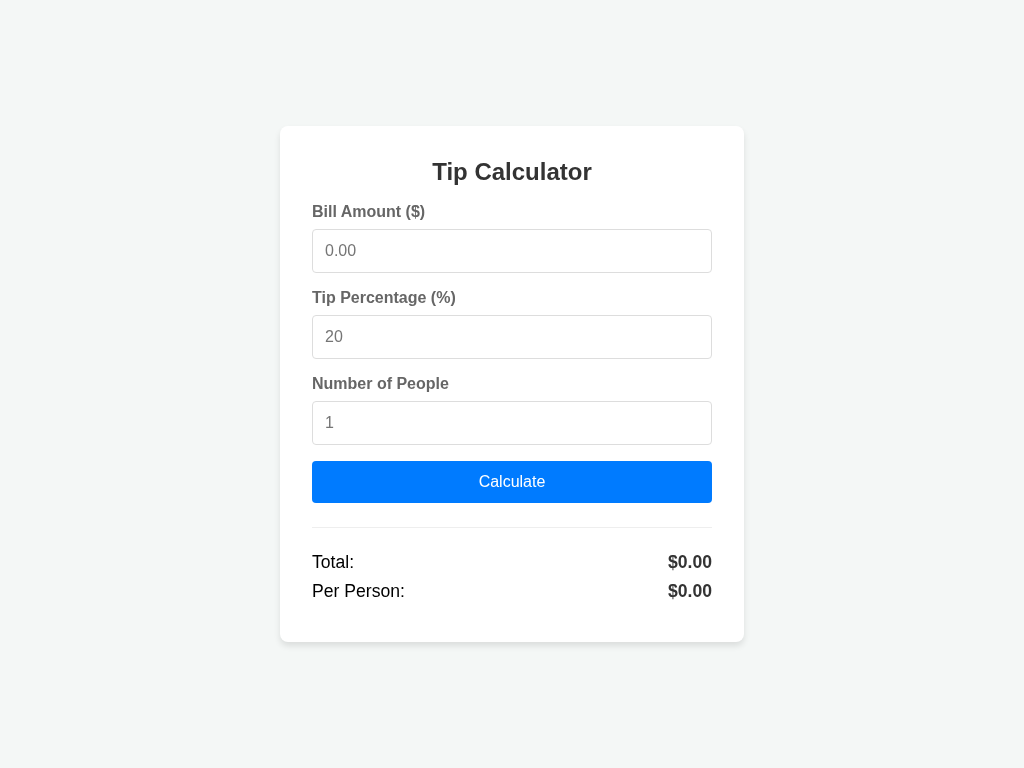
verify output
CHECK PASS: required elements exist
CHECK PASS: total: bill=100 tip=20 -> 120.00
CHECK PASS: total: bill=50 tip=10 -> 55.00
CHECK PASS: two-decimal formatting
CHECK PASS: split: bill=100 tip=15 people=3 -> total 115.00, perPerson 38.33
CHECK PASS: people empty/<1 treated as 1 (perPerson == total)
CHECK PASS: negative bill/tip clamped to 0
CHECK PASS: no uncaught JS errors on empty inputs
score: 8/8 (100%)
produced code
index.html
<!DOCTYPE html>
<html lang="en">
<head>
    <meta charset="UTF-8">
    <meta name="viewport" content="width=device-width, initial-scale=1.0">
    <title>Tip Calculator</title>
    <style>
        body {
            font-family: -apple-system, BlinkMacSystemFont, "Segoe UI", Roboto, Helvetica, Arial, sans-serif;
            display: flex;
            justify-content: center;
            align-items: center;
            min-height: 100vh;
            margin: 0;
            background-color: #f4f7f6;
        }
        .card {
            background: white;
            padding: 2rem;
            border-radius: 8px;
            box-shadow: 0 4px 6px rgba(0,0,0,0.1);
            width: 100%;
            max-width: 400px;
        }
        h1 {
            margin-top: 0;
            font-size: 1.5rem;
            color: #333;
            text-align: center;
        }
        .input-group {
            margin-bottom: 1rem;
        }
        label {
            display: block;
            margin-bottom: 0.5rem;
            font-weight: 600;
            color: #666;
        }
        input {
            width: 100%;
            padding: 0.75rem;
            border: 1px solid #ddd;
            border-radius: 4px;
            box-sizing: border-box;
            font-size: 1rem;
        }
        button {
            width: 100%;
            padding: 0.75rem;
            background-color: #007bff;
            color: white;
            border: none;
            border-radius: 4px;
            font-size: 1rem;
            cursor: pointer;
            transition: background-color 0.2s;
        }
        button:hover {
            background-color: #0056b3;
        }
        .results {
            margin-top: 1.5rem;
            padding-top: 1.5rem;
            border-top: 1px solid #eee;
        }
        .result-item {
            display: flex;
            justify-content: space-between;
            margin-bottom: 0.5rem;
            font-size: 1.1rem;
        }
        .result-value {
            font-weight: bold;
            color: #333;
        }
    </style>
</head>
<body>

<div class="card">
    <h1>Tip Calculator</h1>

    <div class="input-group">
        <label for="bill">Bill Amount ($)</label>
        <input type="number" id="bill" step="0.01" placeholder="0.00">
    </div>

    <div class="input-group">
        <label for="tip">Tip Percentage (%)</label>
        <input type="number" id="tip" step="0.1" placeholder="20">
    </div>

    <div class="input-group">
        <label for="people">Number of People</label>
        <input type="number" id="people" step="1" placeholder="1">
    </div>

    <button id="calculate">Calculate</button>

    <div class="results">
        <div class="result-item">
            <span>Total:</span>
            <span id="total" class="result-value">$0.00</span>
        </div>
        <div class="result-item">
            <span>Per Person:</span>
            <span id="perPerson" class="result-value">$0.00</span>
        </div>
    </div>
</div>

<script>
    document.getElementById('calculate').addEventListener('click', function() {
        // Get input values
        const billInput = document.getElementById('bill').value;
        const tipInput = document.getElementById('tip').value;
        const peopleInput = document.getElementById('people').value;

        // Parse and clamp Bill
        let bill = parseFloat(billInput);
        if (isNaN(bill) || bill < 0) {
            bill = 0;
        }

        // Parse and clamp Tip
        let tip = parseFloat(tipInput);
        if (isNaN(tip) || tip < 0) {
            tip = 0;
        }

        // Parse and clamp People
        let people = parseInt(peopleInput);
        if (isNaN(people) || people < 1) {
            people = 1;
        }

        // Computations
        const total = bill + (bill * (tip / 100));
        const perPerson = total / people;

        // Display results formatted to 2 decimal places
        // Using Intl.NumberFormat for better currency representation
        const formatter = new Intl.NumberFormat('en-US', {
            style: 'currency',
            currency: 'USD',
            minimumFractionDigits: 2,
            maximumFractionDigits: 2
        });

        // Requirement says "the text of #total must contain 120.00"
        // We use toFixed(2) or a formatter to ensure the exact decimal requirement.
        // Let's use a simple approach to ensure it's definitely in the text.
        document.getElementById('total').textContent = '$' + total.toFixed(2);
        document.getElementById('perPerson').textContent = '$' + perPerson.toFixed(2);
    });
</script>

</body>
</html>
rep 3 PASS
screenshot
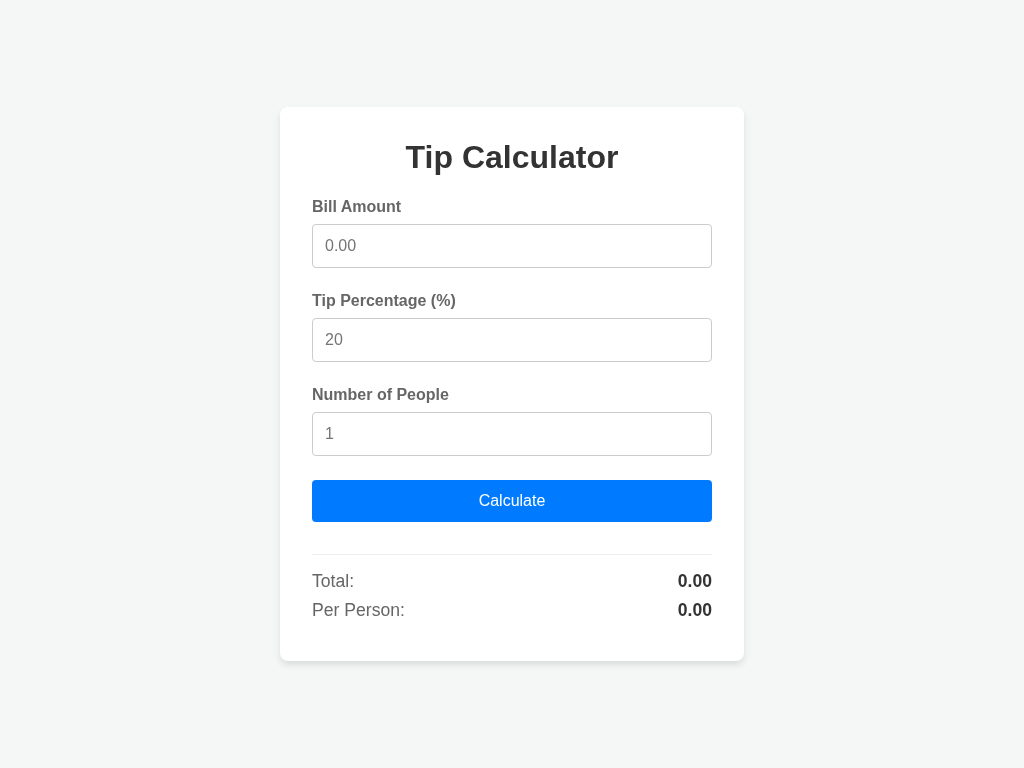
verify output
CHECK PASS: required elements exist
CHECK PASS: total: bill=100 tip=20 -> 120.00
CHECK PASS: total: bill=50 tip=10 -> 55.00
CHECK PASS: two-decimal formatting
CHECK PASS: split: bill=100 tip=15 people=3 -> total 115.00, perPerson 38.33
CHECK PASS: people empty/<1 treated as 1 (perPerson == total)
CHECK PASS: negative bill/tip clamped to 0
CHECK PASS: no uncaught JS errors on empty inputs
score: 8/8 (100%)
produced code
index.html
<!DOCTYPE html>
<html lang="en">
<head>
    <meta charset="UTF-8">
    <meta name="viewport" content="width=device-width, initial-scale=1.0">
    <title>Tip Calculator</title>
    <style>
        body {
            font-family: -apple-system, BlinkMacSystemFont, "Segoe UI", Roboto, Helvetica, Arial, sans-serif;
            display: flex;
            justify-content: center;
            align-items: center;
            min-height: 100vh;
            margin: 0;
            background-color: #f4f7f6;
        }
        .container {
            background: white;
            padding: 2rem;
            border-radius: 8px;
            box-shadow: 0 4px 6px rgba(0, 0, 0, 0.1);
            width: 100%;
            max-width: 400px;
        }
        h1 {
            margin-top: 0;
            text-align: center;
            color: #333;
        }
        .input-group {
            margin-bottom: 1.5rem;
        }
        label {
            display: block;
            margin-bottom: 0.5rem;
            color: #666;
            font-weight: bold;
        }
        input {
            width: 100%;
            padding: 0.75rem;
            border: 1px solid #ccc;
            border-radius: 4px;
            box-sizing: border-box;
            font-size: 1rem;
        }
        button {
            width: 100%;
            padding: 0.75rem;
            background-color: #007bff;
            color: white;
            border: none;
            border-radius: 4px;
            font-size: 1rem;
            cursor: pointer;
            transition: background-color 0.2s;
        }
        button:hover {
            background-color: #0056b3;
        }
        .results {
            margin-top: 2rem;
            padding-top: 1rem;
            border-top: 1px solid #eee;
        }
        .result-item {
            display: flex;
            justify-content: space-between;
            margin-bottom: 0.5rem;
            font-size: 1.1rem;
        }
        .result-label {
            color: #666;
        }
        .result-value {
            font-weight: bold;
            color: #333;
        }
    </style>
</head>
<body>

<div class="container">
    <h1>Tip Calculator</h1>

    <div class="input-group">
        <label for="bill">Bill Amount</label>
        <input type="number" id="bill" step="0.01" placeholder="0.00">
    </div>

    <div class="input-group">
        <label for="tip">Tip Percentage (%)</label>
        <input type="number" id="tip" step="1" placeholder="20">
    </div>

    <div class="input-group">
        <label for="people">Number of People</label>
        <input type="number" id="people" step="1" placeholder="1">
    </div>

    <button id="calculate">Calculate</button>

    <div class="results">
        <div class="result-item">
            <span class="result-label">Total:</span>
            <span id="total" class="result-value">0.00</span>
        </div>
        <div class="result-item">
            <span class="result-label">Per Person:</span>
            <span id="perPerson" class="result-value">0.00</span>
        </div>
    </div>
</div>

<script>
    document.getElementById('calculate').addEventListener('click', function() {
        // Get inputs
        const billInput = document.getElementById('bill').value;
        const tipInput = document.getElementById('tip').value;
        const peopleInput = document.getElementById('people').value;

        // Parse and handle bill/tip (empty or non-numeric -> 0, negative -> 0)
        let bill = parseFloat(billInput);
        if (isNaN(bill) || bill < 0) {
            bill = 0;
        }

        let tipPercent = parseFloat(tipInput);
        if (isNaN(tipPercent) || tipPercent < 0) {
            tipPercent = 0;
        }

        // Parse and handle people (empty or < 1 -> 1)
        let people = parseInt(peopleInput, 10);
        if (isNaN(people) || people < 1) {
            people = 1;
        }

        // Calculations
        const total = bill + (bill * (tipPercent / 100));
        const perPerson = total / people;

        // Display results formatted to 2 decimal places
        document.getElementById('total').textContent = '$' + total.toFixed(2);
        document.getElementById('perPerson').textContent = '$' + perPerson.toFixed(2);
    });
</script>

</body>
</html>
rep 4 PASS
screenshot
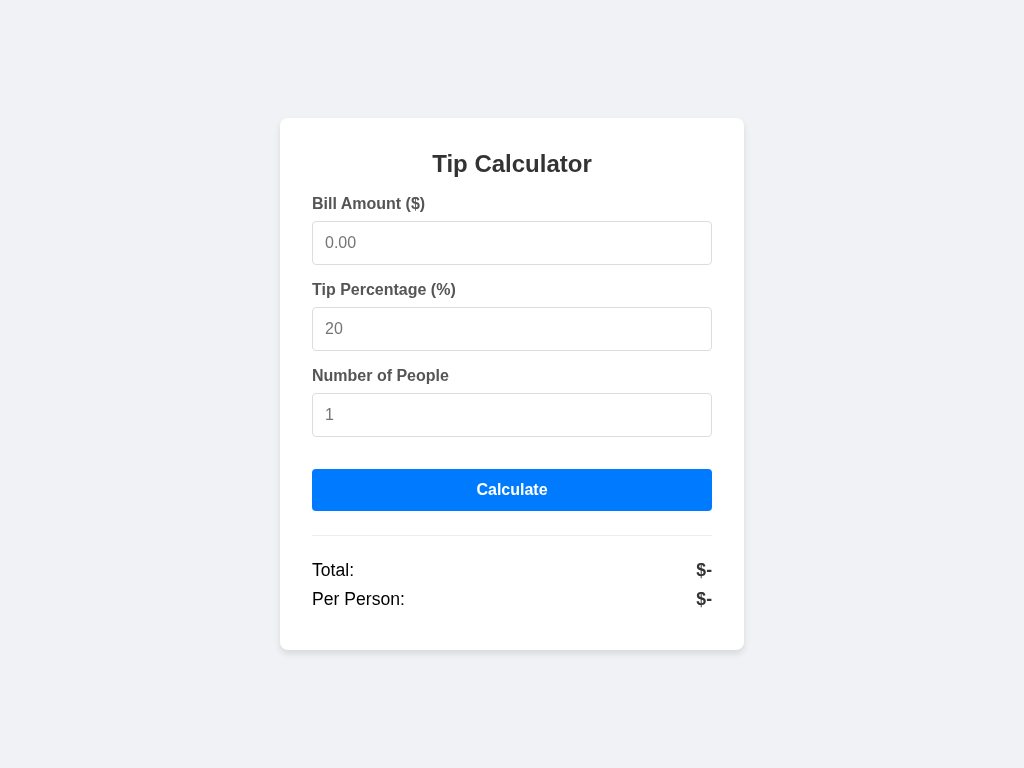
verify output
CHECK PASS: required elements exist
CHECK PASS: total: bill=100 tip=20 -> 120.00
CHECK PASS: total: bill=50 tip=10 -> 55.00
CHECK PASS: two-decimal formatting
CHECK PASS: split: bill=100 tip=15 people=3 -> total 115.00, perPerson 38.33
CHECK PASS: people empty/<1 treated as 1 (perPerson == total)
CHECK PASS: negative bill/tip clamped to 0
CHECK PASS: no uncaught JS errors on empty inputs
score: 8/8 (100%)
produced code
index.html
<!DOCTYPE html>
<html lang="en">
<head>
    <meta charset="UTF-8">
    <meta name="viewport" content="width=device-width, initial-scale=1.0">
    <title>Tip Calculator</title>
    <style>
        body {
            font-family: -apple-system, BlinkMacSystemFont, "Segoe UI", Roboto, Helvetica, Arial, sans-serif;
            display: flex;
            justify-content: center;
            align-items: center;
            min-height: 100vh;
            margin: 0;
            background-color: #f0f2f5;
        }
        .container {
            background: white;
            padding: 2rem;
            border-radius: 8px;
            box-shadow: 0 4px 6px rgba(0, 0, 0, 0.1);
            width: 100%;
            max-width: 400px;
        }
        h1 {
            margin-top: 0;
            font-size: 1.5rem;
            text-align: center;
            color: #333;
        }
        .input-group {
            margin-bottom: 1rem;
        }
        label {
            display: block;
            margin-bottom: 0.5rem;
            font-weight: 600;
            color: #555;
        }
        input {
            width: 100%;
            padding: 0.75rem;
            border: 1px solid #ddd;
            border-radius: 4px;
            box-sizing: border-box;
            font-size: 1rem;
        }
        button {
            width: 100%;
            padding: 0.75rem;
            background-color: #007bff;
            color: white;
            border: none;
            border-radius: 4px;
            font-size: 1rem;
            font-weight: 600;
            cursor: pointer;
            margin-top: 1rem;
        }
        button:hover {
            background-color: #0056b3;
        }
        .results {
            margin-top: 1.5rem;
            padding-top: 1.5rem;
            border-top: 1px solid #eee;
        }
        .result-item {
            display: flex;
            justify-content: space-between;
            margin-bottom: 0.5rem;
            font-size: 1.1rem;
        }
        .result-value {
            font-weight: bold;
            color: #333;
        }
    </style>
</head>
<body>
    <div class="container">
        <h1>Tip Calculator</h1>

        <div class="input-group">
            <label for="bill">Bill Amount ($)</label>
            <input type="number" id="bill" step="0.01" placeholder="0.00">
        </div>

        <div class="input-group">
            <label for="tip">Tip Percentage (%)</label>
            <input type="number" id="tip" step="1" placeholder="20">
        </div>

        <div class="input-group">
            <label for="people">Number of People</label>
            <input type="number" id="people" step="1" placeholder="1">
        </div>

        <button id="calculate">Calculate</button>

        <div class="results">
            <div class="result-item">
                <span>Total:</span>
                <span id="total" class="result-value">$-</span>
            </div>
            <div class="result-item">
                <span>Per Person:</span>
                <span id="perPerson" class="result-value">$-</span>
            </div>
        </div>
    </div>

    <script>
        document.getElementById('calculate').addEventListener('click', function() {
            // Get inputs
            const billInput = document.getElementById('bill').value;
            const tipInput = document.getElementById('tip').value;
            const peopleInput = document.getElementById('people').value;

            // Parse bill
            let bill = parseFloat(billInput);
            if (isNaN(bill) || bill < 0) {
                bill = 0;
            }

            // Parse tip
            let tipPercent = parseFloat(tipInput);
            if (isNaN(tipPercent) || tipPercent < 0) {
                tipPercent = 0;
            }

            // Parse people
            let people = parseInt(peopleInput, 10);
            if (isNaN(people) || people < 1) {
                people = 1;
            }

            // Calculations
            const total = bill + (bill * (tipPercent / 100));
            const perPerson = total / people;

            // Display results formatted to 2 decimal places
            document.getElementById('total').textContent = '$' + total.toFixed(2);
            document.getElementById('perPerson').textContent = '$' + perPerson.toFixed(2);
        });
    </script>
</body>
</html>
rep 5 PASS
screenshot
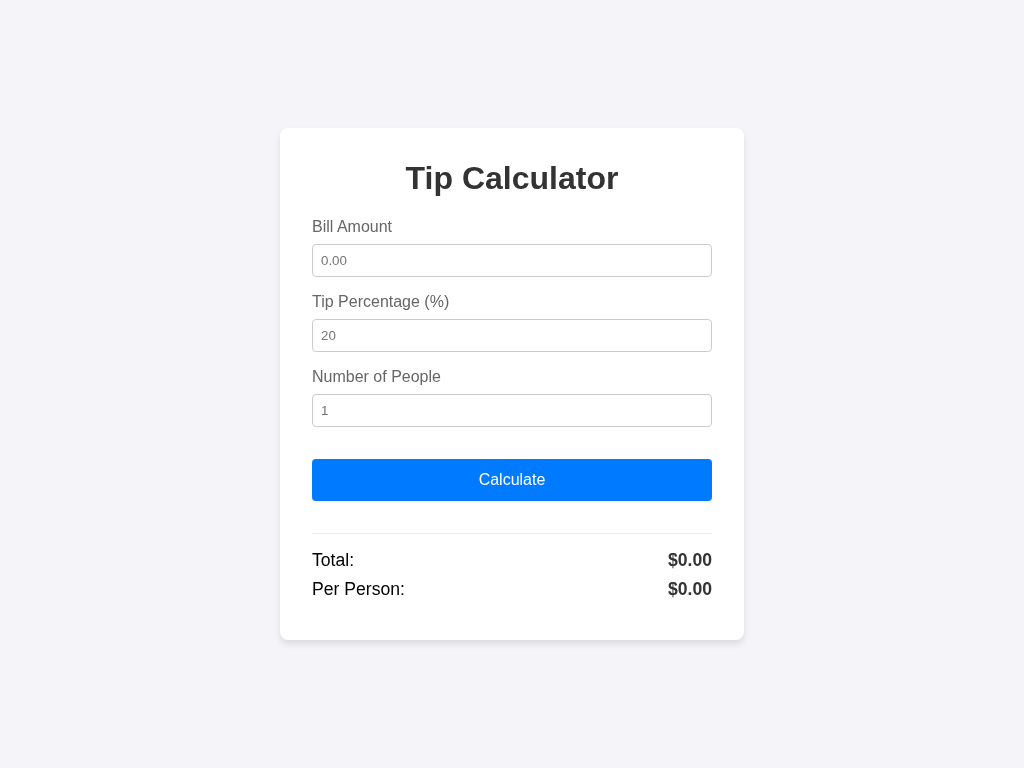
verify output
CHECK PASS: required elements exist
CHECK PASS: total: bill=100 tip=20 -> 120.00
CHECK PASS: total: bill=50 tip=10 -> 55.00
CHECK PASS: two-decimal formatting
CHECK PASS: split: bill=100 tip=15 people=3 -> total 115.00, perPerson 38.33
CHECK PASS: people empty/<1 treated as 1 (perPerson == total)
CHECK PASS: negative bill/tip clamped to 0
CHECK PASS: no uncaught JS errors on empty inputs
score: 8/8 (100%)
produced code
index.html
<!DOCTYPE html>
<html lang="en">
<head>
    <meta charset="UTF-8">
    <meta name="viewport" content="width=device-width, initial-scale=1.0">
    <title>Tip Calculator</title>
    <style>
        body {
            font-family: sans-serif;
            display: flex;
            justify-content: center;
            align-items: center;
            min-height: 100vh;
            margin: 0;
            background-color: #f4f4f9;
        }
        .container {
            background: white;
            padding: 2rem;
            border-radius: 8px;
            box-shadow: 0 4px 6px rgba(0, 0, 0, 0.1);
            width: 100%;
            max-width: 400px;
        }
        h1 {
            margin-top: 0;
            text-align: center;
            color: #333;
        }
        .form-group {
            margin-bottom: 1rem;
        }
        label {
            display: block;
            margin-bottom: 0.5rem;
            color: #666;
        }
        input {
            width: 100%;
            padding: 0.5rem;
            border: 1px solid #ccc;
            border-radius: 4px;
            box-sizing: border-box;
        }
        button {
            width: 100%;
            padding: 0.75rem;
            background-color: #007bff;
            color: white;
            border: none;
            border-radius: 4px;
            font-size: 1rem;
            cursor: pointer;
            margin-top: 1rem;
        }
        button:hover {
            background-color: #0056b3;
        }
        .results {
            margin-top: 2rem;
            padding-top: 1rem;
            border-top: 1px solid #eee;
        }
        .result-item {
            display: flex;
            justify-content: space-between;
            margin-bottom: 0.5rem;
            font-size: 1.1rem;
        }
        .result-value {
            font-weight: bold;
            color: #333;
        }
    </style>
</head>
<body>
    <div class="container">
        <h1>Tip Calculator</h1>

        <div class="form-group">
            <label for="bill">Bill Amount</label>
            <input type="number" id="bill" step="0.01" placeholder="0.00">
        </div>

        <div class="form-group">
            <label for="tip">Tip Percentage (%)</label>
            <input type="number" id="tip" step="1" placeholder="20">
        </div>

        <div class="form-group">
            <label for="people">Number of People</label>
            <input type="number" id="people" step="1" placeholder="1">
        </div>

        <button id="calculate">Calculate</button>

        <div class="results">
            <div class="result-item">
                <span>Total:</span>
                <span id="total" class="result-value">$0.00</span>
            </div>
            <div class="result-item">
                <span>Per Person:</span>
                <span id="perPerson" class="result-value">$0.00</span>
            </div>
        </div>
    </div>

    <script>
        document.getElementById('calculate').addEventListener('click', function() {
            // Helper to safely parse numbers
            const getVal = (id) => {
                const val = parseFloat(document.getElementById(id).value);
                return isNaN(val) ? 0 : val;
            };

            // Input handling per requirements
            let bill = getVal('bill');
            let tip = getVal('tip');
            let peopleInput = document.getElementById('people').value;

            // Clamp bill and tip to 0
            if (bill < 0) bill = 0;
            if (tip < 0) tip = 0;

            // Handle people: empty or < 1 treated as 1
            let people = parseInt(peopleInput, 10);
            if (isNaN(people) || people < 1) {
                people = 1;
            }

            // Calculations
            const total = bill + (bill * (tip / 100));
            const perPerson = total / people;

            // Display results formatted to 2 decimal places
            // Using toFixed(2) as requested.
            // We prepend '$' for better UI, but ensure the numbers are present.
            document.getElementById('total').textContent = '$' + total.toFixed(2);
            document.getElementById('perPerson').textContent = '$' + perPerson.toFixed(2);
        });
    </script>
</body>
</html>